
Top 6 Digital Marketing Tools for Small Businesses
Explore essential digital marketing tools that help small businesses streamline efforts, boost SEO, and improve engagement without breaking the bank.
Editorial Team
Heaviside Digital

Digital marketing tools can save time, improve efficiency, and help small businesses grow online. Here’s a quick look at six tools that can help you manage email campaigns, track website performance, and boost SEO – all while staying within a budget:
- **: Free CRM with tools for email marketing, social media, and customer service. Paid plans start at $18/month.
- **: Best for email marketing with automation and templates. Free for up to 2,000 contacts; paid plans from $13/month.
- **: SEO and competitor analysis tool. Plans start at $119.95/month.
- **: Free tool for tracking website traffic and user behavior.
- **: Content calendar and social media management tool. Paid plans start at $39/user/month.
- **: A flexible website builder with free and paid plans starting at $4/month.
Quick Comparison
Tool
Starting Price
Free Plan Features
Best For
HubSpot
Free, $18/month
CRM, email marketing, analytics
Managing CRM and marketing
Mailchimp
Free, $13/month
Email campaigns, templates
Email marketing
Semrush
$119.95/month
Limited free trial
SEO and competitor research
Google Analytics
Free
Full analytics suite
Website traffic and behavior
CoSchedule
$39/user/month
None
Content and social media planning
WordPress
Free, $4/month
Basic hosting and themes
Website building and management
Start with free plans like HubSpot or Mailchimp to explore features, and upgrade as your business grows. These tools can help you streamline marketing efforts, boost traffic, and improve engagement.
Top Free & Paid Digital Marketing Tools You Must Know for 2024!
1. Hubspot

HubSpot is a digital marketing platform that combines tools for sales, marketing, and customer service into one easy-to-use package. This makes it a great choice for small businesses that want to manage their marketing efforts without juggling multiple tools.
It includes features like pipeline tracking and lead management for sales, email templates and social media tools for marketing, and live chat and a ticketing system for customer service. For small teams with limited resources, HubSpot’s free plan offers a way to handle these tasks efficiently without needing extra staff or technical know-how.
The free CRM covers sales (like pipeline tracking and email notifications), marketing (social media tools and email templates), customer service (live chat and ticketing), and basic analytics.For businesses ready to grow, the starter plan starts at just $18/month, making it a [budget-friendly option ].
HubSpot also shines with its analytics, which help track performance and guide data-driven decisions.Many users have seen a 25% boost in website traffic within their [first year ].The platform’s automated workflows help businesses stay consistent with customer communication and simplify [their processes ] [].
"HubSpot’s integrated platform provides small businesses with enterprise-level marketing capabilities while maintaining cost-effectiveness and [user-friendly operation" ].
If you’re a small business owner, starting with the free plan is a smart move.It lets you explore the platform’s core features before deciding if you need [advanced options ] []. While HubSpot covers a lot, tools like Mailchimp are also worth considering for specialized tasks like email marketing.
2. Mailchimp

Mailchimp focuses on email marketing, making it a great option for businesses prioritizing targeted email campaigns. Known for its affordable pricing and automation tools, it’s especially helpful for small businesses looking to generate leads and maintain customer relationships effectively.
With a drag-and-drop editor and a wide range of templates, Mailchimp simplifies email design, even for those without [technical expertise ]. It shines in managing email campaigns, offering features like automated email sequences and personalized content delivery. These tools allow businesses to create professional emails and streamline customer communication with less effort.
Mailchimp’s pricing is flexible to suit various needs. Its free plan includes support for up to 2,000 contacts and provides essential tools like:
- Basic email campaigns
- Marketing CRM
- Website builder
- Forms and landing pages
For businesses needing more, paid plans start at $13/month and include extras like A/B testing and advanced [automation workflows ].
The platform also integrates easily with popular tools such as WordPress for content management and Google Analytics for tracking performance. This seamless connectivity helps businesses create a unified marketing strategy across multiple platforms.
Mailchimp’s analytics dashboard offers insights into key metrics like open rates, click-through rates, and conversions. These data points enable businesses to fine-tune their campaigns based on performance, improving results over time.
For those looking for a focused email marketing tool, Mailchimp delivers a combination of easy-to-use design features, automation, and actionable analytics. It’s a solid choice for small businesses aiming to enhance their email marketing efforts.
3. Semrush

Semrush is a powerful digital marketing platform designed to help businesses boost their online visibility. It offers a wide range of SEO and content marketing tools that make it easier to improve search rankings and analyze competitors.
One of its standout features is the keyword research tool, which helps businesses discover search terms that resonate with their audience. Semrush also provides website performance checks, scanning for issues that might hurt search rankings and offering actionable insights to improve visibility.
For content marketing, the platform includes tools for topic research, SEO-friendly writing, and tracking performance. Its competitor analysis feature uncovers rivals’ top keywords, backlinks, and content, giving businesses a clearer path to refine their strategies.
Semrush offers three pricing plans, starting at $119.95 per month, with a 14-day trial to explore its features:
Plan
Monthly Cost
Key Features
Pro
$119.95
Keyword research, site audits, competitor analysis
Guru
$229.95
Content tools, historical data, higher limits
Business
$449.95
API access, advanced reporting, white-label reports
- Pro: Best for businesses just starting with SEO.
- Guru: Adds tools for content marketing and is ideal for growing companies.
- Business: Offers enterprise-level features for larger operations.
"A small e-commerce business used Semrush to identify and fix technical SEO issues, resulting in a 30% increase in organic traffic."
To get the most out of Semrush, experts suggest beginning with a detailed SEO audit and keeping a close eye on keyword rankings. Its integration with tools like Google Analytics and Google Search Console provides a complete view of marketing performance, making it easier to tweak strategies as needed.
While Semrush focuses on improving search visibility and strategy, pairing it with Google Analytics gives deeper insights into audience behavior and campaign performance. Together, they form a strong foundation for any digital marketing effort.
4. Google

Google Analytics is a tool that helps businesses understand their website’s performance and user behavior. With its straightforward interface, it provides real-time data to guide marketing decisions and improve strategies without extra cost.
Here are some of its key features and how they can help businesses:
Feature
How It Helps
Real-time Analytics
See who’s on your site and how campaigns are performing instantly
User Segmentation
Learn about your audience’s demographics and actions
User Journey Tracking
Follow the paths visitors take through your site
Conversion Tracking
Measure how well your site achieves business goals
Custom Reports
Get insights tailored to your specific needs
Google Analytics works well with other tools like Google Ads, Google Tag Manager, HubSpot, and Mailchimp, giving businesses a deeper understanding of user behavior and [campaign results ].
The platform offers two options to fit different needs:
- Google Analytics (Free): A great choice for small businesses, offering all the basics for tracking and reporting.
- Google Analytics 360: Designed for large enterprises, with advanced features and dedicated support.
"Experts recommend setting clear goals and objectives, regularly reviewing data, and using advanced features like segmentation and A/B testing to maximize marketing ROI. [" ]
To get the most out of Google Analytics, focus on metrics like traffic sources, conversion rates, and user behavior. The customizable dashboard ensures businesses can keep an eye on what matters most to them. Plus, its integration with Google Search Console offers extra SEO insights, helping improve content and keyword strategies.
While the amount of data might feel overwhelming at first, regularly analyzing it can reveal trends that shape smart marketing plans. Google Analytics excels at understanding user behavior, while tools like CoSchedule can help with managing content and campaigns efficiently.
sbb-itb-fa66596
5. Coschedule
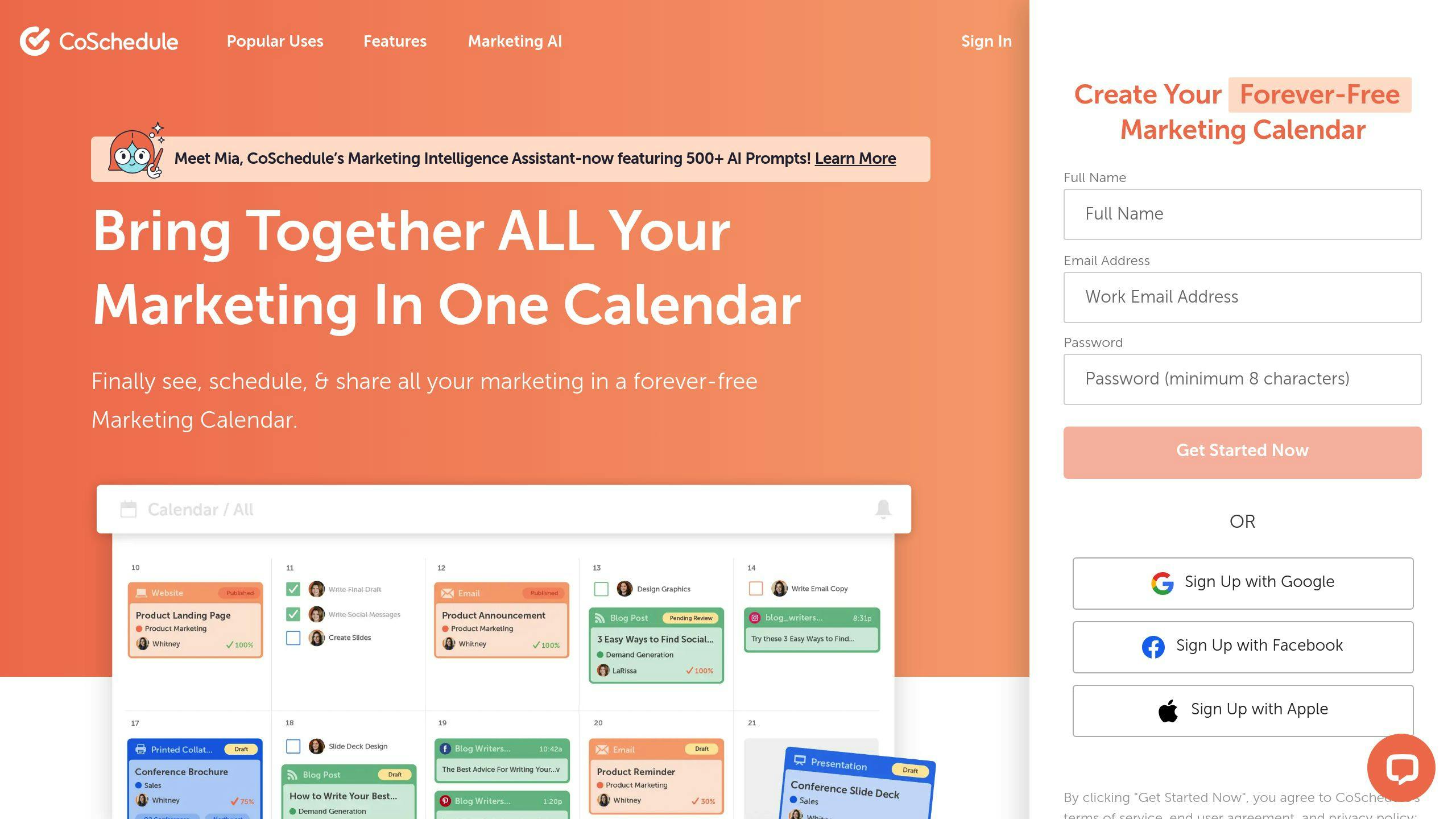
CoSchedule is a content management platform designed to simplify marketing for small businesses. It combines automation and collaboration tools to make managing multiple marketing tasks easier and more efficient.
Here’s a look at some of CoSchedule’s standout features:
Feature
What It Does
Content Calendar & Social Media Automation
Lets you plan, schedule, and manage all your marketing content and posts in one place.
Team Collaboration
Helps coordinate tasks and workflows across your marketing team.
Marketing Analytics
Provides insights into content performance and engagement metrics.
ReQueue
Automatically reshuffles and republishes top-performing content to keep your audience engaged with minimal effort.
Businesses using CoSchedule often report saving time on content management, which can lead to better website traffic [and engagement ]. The platform integrates with tools like WordPress, Google Analytics, and major social media platforms, offering a centralized hub for managing marketing efforts.
CoSchedule offers a free plan with basic features, while its paid plans start at $39 per user per month. For more advanced tools and analytics, the cost goes up to $79 per user per month.
For small businesses, CoSchedule is especially useful for organizing content strategies. By keeping a consistent schedule, analyzing performance data, and using automation tools, businesses can save time while improving results.
Unlike Google Analytics, which focuses on website metrics, CoSchedule is all about content planning and execution. The two tools complement each other well, especially for businesses managing WordPress websites. CoSchedule’s integration with WordPress makes content publishing smoother, making it a great option for blog management.
6. Wordpress
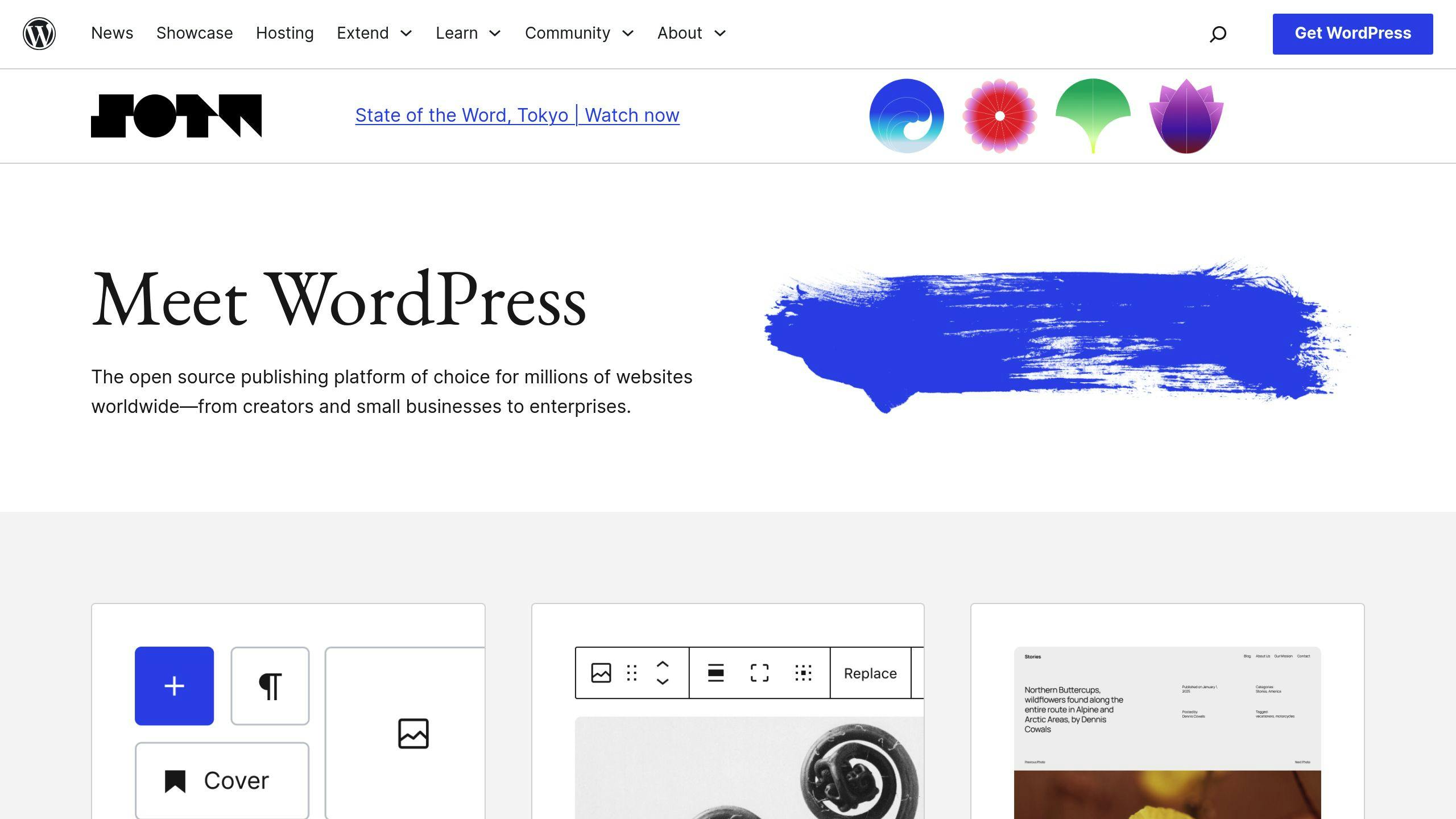
WordPress is a widely-used tool for small businesses, powering more than 40% of all websites online. As a content management system (CMS), it allows businesses to build and manage a professional website without needing deep technical expertise.
Here’s a quick look at WordPress pricing options:
Plan
Monthly Cost
Features
Free
$0
Basic hosting, themes, 3GB storage
Personal
$4
Custom domain, no WordPress ads
Premium
$8
Advanced design tools, monetization
Business
$25
Plugin installation, SEO tools, Google Analytics
With access to over 50,000 plugins, WordPress can add features like e-commerce, lead generation, SEO, and social [media integration ]. This makes it a great platform for small businesses to centralize efforts using tools like HubSpot, Mailchimp, or CoSchedule.
The Gutenberg editor makes content creation easier with its block-based design system, letting users create visually appealing pages without any coding.Plus, WordPress has an SEO-friendly structure, and plugins like help fine-tune content for better search engine visibility.
While WordPress itself is free, there are additional costs to consider: hosting ($10–30/month), themes ($30–100), and plugins ($15–50/month). Unlike many website builders, WordPress gives you full control over your site’s code and functionality, making it a powerful choice for digital marketing.
Tool Comparison
This section compares tools designed to address the challenges small businesses often face, such as tight budgets and limited resources.
Tool
Starting Price
Free Plan Features
Key Limitations
Best For
HubSpot
Free CRM, $45/mo paid
CRM, email marketing, forms
Limited contacts, basic reporting
Managing CRM and marketing for small teams
Mailchimp
Free, $13/mo paid
Up to 2,000 subscribers, basic templates
Limited automation, basic templates
Budget-friendly email campaigns for startups
Semrush
Paid only
10 free searches/day (trial)
No free plan, limited keyword tracking
SEO and competitor insights for growing businesses
Google Analytics
Free
Full analytics suite
Limited data retention
Analyzing website traffic and user behavior
CoSchedule
Paid only
N/A
Higher cost compared to free alternatives
Organizing content and managing social media
WordPress
Free, $4/mo paid
Basic hosting, themes
Free plan lacks custom domains and advanced branding features
Building and managing websites
When choosing tools for your marketing efforts, focus on these factors:
Integration Options: Tools like HubSpot integrate seamlessly with platforms like Mailchimp and Google Analytics, helping streamline workflows.
Tool Strengths: Each tool shines in specific areas. Mailchimp is ideal for email campaigns, while Semrush specializes in SEO analytics. Identify your main marketing goals – whether it’s email marketing, SEO, or content management – and pick tools that align with those needs.
For a cost-effective start, small businesses can use free tools like Google Analytics, WordPress, and Mailchimp. As needs grow, consider upgrading to paid plans with advanced features, such as HubSpot’s CRM automation ($45/month) or Semrush’s SEO tools ($119.95/month).
Conclusion
By 2025, digital marketing tools have become essential for small businesses looking to succeed online. Using them effectively can boost website traffic, generate leads, and improve customer engagement.For example, data from HubSpot shows that users of its Marketing Hub often see a 25% or more increase in website traffic within their [first year ].
The six tools discussed – HubSpot, Mailchimp, Semrush, Google Analytics, CoSchedule, and WordPress – serve as a solid starting point for crafting an effective marketing strategy. When deciding which tools to use, keep the following in mind:
Key Considerations for Choosing Tools:
- Start small: Free plans from platforms like HubSpot, Mailchimp, and WordPress are budget-friendly options for beginners.
- Think integration: Tools that connect easily, such as HubSpot with QuickBooks or Google Workspace, can save time [and effort ].
- Plan for growth: Choose tools that offer upgrades as your business scales.
Focus on tools that meet your current needs. For instance, Mailchimp is great for email marketing, while Google Analytics provides valuable website performance insights. As your business grows, you can expand your toolkit to include more advanced features.
Mailchimp’s free plan is a practical choice for email marketing beginners. Over time, transitioning to paid plans unlocks additional features to support a growing business.
Keep an eye on your metrics, adjust strategies based on data, and use automation to streamline repetitive tasks. With advancements like AI and personalization, digital marketing tools are becoming even more powerful for engaging audiences.
FAQs
Here are answers to some common questions about digital marketing tools to help you make better choices for your business.
What is a social media management tool?
A social media management tool is designed to help businesses handle their social media accounts more efficiently. Tools like provide a user-friendly dashboard and detailed analytics, making them perfect for managing multiple platforms in one place. These tools let you schedule posts, track engagement, analyze performance, and even run ad campaigns – all from a single interface.
These tools go beyond social media and play a key role in helping small businesses grow.
How can digital marketing tools benefit my small business?
Digital marketing tools can help small businesses save time and money by automating routine tasks and offering insights to improve marketing efforts. For example, platforms like Mailchimp and HubSpot include features tailored to address common challenges, all while being affordable for smaller budgets.
How do I choose the right digital marketing tools?
When selecting digital marketing tools, keep these factors in mind:
Factor
What to Consider
Budget
Start with free plans and upgrade as your needs grow.
Integration
Pick tools that work well with your current systems.
Scalability
Make sure the tool can expand as your business grows.
Support
Opt for platforms with reliable customer support.
Ease of Use
Consider tools with simple interfaces and training resources.
With 71% of small businesses using social media [for marketing ], it’s clear how important it is to choose tools that simplify tasks like scheduling and analytics.
Related Blog Posts
- (/blog/seo-vs-ppc-which-digital-marketing-strategy-fits-your-business)
- (/blog/social-media-marketing-guide-for-small-business-success)
- (/blog/website-conversion-rate-problems-8-quick-solutions)
- (/blog/common-seo-mistakes-how-to-fix-and-prevent-them)
Share this article
Help others discover this content
About Heaviside Digital
We help local businesses get found in search and make it easier for a website visitor to contact them. Our work also covers advertising and the follow-up that turns a new lead into a conversation.
Learn more about usContinue Reading

What a Local Rank Grid Actually Tells You About Google Maps
One map ranking can look fine while most of your service area cannot find you. Learn how to read a local rank grid and choose the next action.

How to Use AI Tools to Save Time on Marketing Without Losing Your Voice
Discover how digital marketing agencies can harness AI to draft campaign copy and repurpose client wins faster without producing bland, cookie-cutter content that alienates prospective clients.

Answer Engine Optimization — The SEO Strategy Nobody Is Talking About Yet
For agencies helping local brands scale, traditional SEO tactics are missing half the equation. Dive into Answer Engine Optimization (AEO) tailored for digital marketing firms, and learn how to optimize your agency's online presence to be cited directly by ChatGPT and Google Overviews.